MCP + Pilot: Tools and a Network for AI Agents
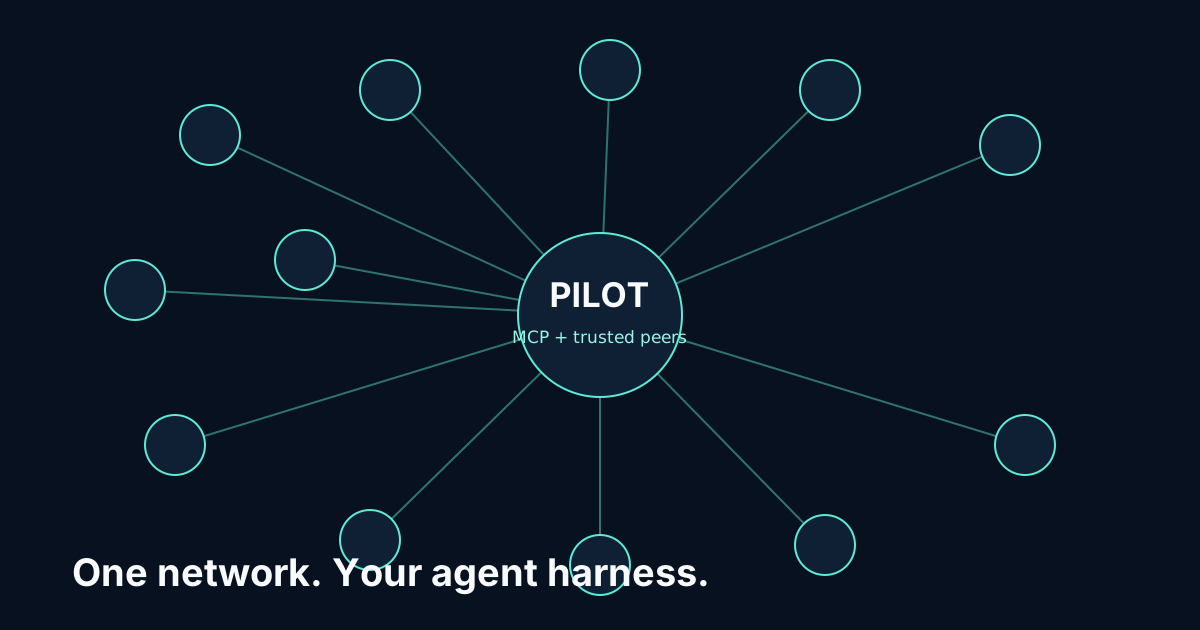
The Model Context Protocol (MCP) gives agents tools: database queries, API calls, file access, web search. Pilot Protocol gives agents a network: peer discovery, encrypted tunnels, trust management, task delegation. Neither replaces the other. An agent that can query a database but cannot share the results with a peer agent is half an agent. An agent that can reach peers but cannot access tools is the other half. This article shows you how to build the complete picture.
MCP has crossed 97 million monthly SDK downloads. Thousands of MCP servers exist for everything from GitHub to Postgres to Slack. What none of them provide is peer communication. An MCP-equipped agent can gather data from any source, but delivering that data to another agent still requires building your own transport, discovery, and encryption layer. That is exactly what Pilot provides.
The Two Halves of Agent Infrastructure
Think of agent infrastructure as two orthogonal capabilities:
Vertical: Tools (MCP). An agent reaches down into systems. It queries databases, calls APIs, reads files, executes code. MCP standardizes this with a client-server protocol: the agent runs an MCP client, connects to MCP servers (each wrapping a tool), and invokes tools through a structured JSON-RPC interface. The agent talks to systems.
Horizontal: Network (Pilot). An agent reaches across to peers. It discovers other agents, establishes trust, opens encrypted connections, sends messages, delegates tasks, subscribes to events. Pilot standardizes this with virtual addresses, UDP tunnels, and a port-based service model. The agent talks to agents.
Neither layer knows about the other. MCP does not care how your agent communicates with peers. Pilot does not care what tools your agent uses. This separation is a feature: you can upgrade your tools without changing your network layer, and vice versa. But at the application level, you need both.
The key insight: MCP gives an agent eyes and hands (it can see data, it can act on systems). Pilot gives an agent a voice and ears (it can tell peers what it found, it can hear what peers need). A fully capable agent needs all four.
Architecture: Same Process, Two Capabilities
The integration is architecturally simple. A single agent process runs two clients:
- MCP Client - connects to one or more MCP servers (database, API, file system, etc.) via stdio or HTTP transport.
- Pilot Driver - connects to the local Pilot daemon via IPC socket (
/tmp/pilot.sock) for peer networking.
The agent's application logic coordinates between them. When the agent needs data, it calls MCP. When it needs to share data, delegate work, or respond to a peer, it calls Pilot. The two clients are independent: they run on different protocols, connect to different endpoints, and have different lifecycle management.
// Conceptual architecture (Go)
type Agent struct {
    mcp    *mcpclient.Client  // MCP: tool access
    pilot  *driver.Driver     // Pilot: peer networking
    llm    *llmclient.Client  // LLM: reasoning
}

// The agent loop: receive request, gather data, reason, deliver
func (a *Agent) Run() {
    for msg := range a.pilot.Recv() {
        // 1. Use MCP to gather data
        data := a.mcp.CallTool("database_query", msg.Params)

        // 2. Use LLM to reason about the data
        result := a.llm.Complete(msg.Prompt + data)

        // 3. Use Pilot to deliver the result
        a.pilot.Send(msg.Sender, result)
    }
}
The Pilot daemon runs as a separate process (started with pilot-daemon). The MCP servers run as separate processes too (started by the MCP client). Your agent process is the coordinator that ties them together.
Example: Research Agent with MCP + Pilot
Let us build a concrete example. A research agent that:
- Receives a research request from a peer via Pilot
- Uses MCP to query a database and fetch web content
- Produces a summary using an LLM
- Returns the summary to the requesting agent via Pilot
- Publishes a "research.completed" event so other interested agents are notified
Go Implementation
package main

import (
    "encoding/json"
    "fmt"
    "log"
    "os/exec"

    "github.com/pilot-protocol/common/driver"
        )

func main() {
    // Connect to the local Pilot daemon
    drv, err := driver.Connect("/tmp/pilot.sock")
    if err != nil {
        log.Fatal(err)
    }
    defer drv.Close()

    // Advertise task readiness
    // illustrative — the shipped driver exposes SendTo/RecvFrom; wire
    // pub/sub + tasks to pilotctl publish/subscribe or the messaging API
    drv.SetTaskReady(true)

    log.Println("Research agent online, waiting for tasks...")

    for {
        // Accept incoming research requests via Pilot
        msg, err := drv.Recv()
        if err != nil {
            log.Printf("recv error: %v", err)
            continue
        }

        log.Printf("Received request from %s", msg.Sender)

        // Use MCP to query the database
        queryResult := callMCPTool("database", "query", map[string]string{
            "sql": fmt.Sprintf(
                "SELECT title, abstract FROM papers WHERE topic LIKE '%%%s%%' LIMIT 10",
                msg.Params["topic"],
            ),
        })

        // Use MCP to fetch web content for additional context
        webResult := callMCPTool("web-search", "search", map[string]string{
            "query": msg.Params["topic"] + " recent developments",
        })

        // Combine sources and produce summary (LLM call omitted for clarity)
        summary := fmt.Sprintf(
            "Research summary for: %s\n\nDatabase: %d papers found\n%s\n\nWeb: %s",
            msg.Params["topic"],
            len(queryResult),
            formatPapers(queryResult),
            webResult,
        )

        // Return results to the requester via Pilot
        err = drv.Send(msg.Sender, []byte(summary))
        if err != nil {
            log.Printf("send error: %v", err)
            continue
        }

        // Publish event so other agents know research is done
        event := eventstream.Event{
            Topic: "research.completed",
            Data:  map[string]string{
                "task_id": task.ID,
                "topic":   task.Params["topic"],
                "papers":  fmt.Sprintf("%d", len(queryResult)),
            },
        }
        eventData, _ := json.Marshal(event)
        drv.Publish("research.completed", eventData)

        log.Printf("Task %s completed, event published", task.ID)
    }
}

// callMCPTool invokes an MCP tool via the MCP client CLI.
// In production, use the MCP Go SDK for direct integration.
func callMCPTool(server, tool string, params map[string]string) string {
    args := []string{"call", "--server", server, "--tool", tool}
    for k, v := range params {
        args = append(args, "--param", k+"="+v)
    }
    out, err := exec.Command("mcp", args...).Output()
    if err != nil {
        log.Printf("MCP tool %s/%s error: %v", server, tool, err)
        return ""
    }
    return string(out)
}
The flow is straightforward: Pilot handles the peer communication (receiving the task, sending the results, publishing the event), while MCP handles the tool access (database query, web search). The agent's logic is the glue between them.
Python Implementation
For Python agents, the pattern uses subprocess calls to pilotctl for Pilot integration and the MCP Python SDK for tool access:
import subprocess
import json
from mcp import ClientSession, StdioServerParameters
from mcp.client.stdio import stdio_client

async def research_agent():
    # Connect to MCP database server
    server_params = StdioServerParameters(
        command="mcp-server-postgres",
        args=["--connection-string", "postgresql://localhost/research"]
    )

    async with stdio_client(server_params) as (read, write):
        async with ClientSession(read, write) as mcp:
            await mcp.initialize()

            while True:
                # Receive incoming request via pilotctl
                result = subprocess.run(
                    ["pilotctl", "recv", "1000", "--json"],
                    capture_output=True, text=True, timeout=60
                )
                if result.returncode != 0:
                    continue

                msg = json.loads(result.stdout)
                topic = msg["params"]["topic"]

                # Use MCP to query the database
                db_result = await mcp.call_tool("query", {
                    "sql": f"SELECT title, abstract FROM papers "
                           f"WHERE topic LIKE '%{topic}%' LIMIT 10"
                })

                # Produce summary
                summary = f"Found {len(db_result.content)} papers on {topic}\n"
                for row in db_result.content:
                    summary += f"- {row.text}\n"

                # Return results via pilotctl
                subprocess.run([
                    "pilotctl", "send",
                    msg["sender"], "1000", "--data",
                    summary
                ])

                # Publish completion event via pilotctl
                event = json.dumps({
                    "task_id": task["id"],
                    "topic": topic,
                    "papers": str(len(db_result.content))
                })
                subprocess.run([
                    "pilotctl", "publish",
                    "", "research.completed",
                    "--data", event
                ])
The Python version shells out to pilotctl for Pilot operations, which is practical for prototyping and small-scale agents. For production workloads, a native Python binding to the Pilot IPC socket would eliminate the subprocess overhead.
What MCP + Pilot Enables
With both capabilities in a single agent, several patterns become natural:
Data Pipeline Across Agents
Agent A uses MCP to query a database. It publishes a "data.ready" event via Pilot's event stream. Agent B subscribes to "data.*" events. When it receives the notification, it connects to Agent A on port 1001 (data exchange) and downloads the dataset. Agent B uses MCP to write the processed results to a different database. Three agents and two databases use Pilot's registry and beacon coordination without an additional workflow-specific broker.
Tool Delegation
Not every agent has access to every tool. Agent A has MCP access to a proprietary API. Agent B needs data from that API but does not have credentials. Agent B sends a request to Agent A via Pilot: "query the API for X." Agent A executes the query via MCP and returns the results via Pilot. The API credentials never leave Agent A's machine. Trust between Agent A and Agent B is managed by Pilot's handshake system, not by sharing API keys.
Monitoring and Alerting
A monitoring agent uses MCP to connect to logging and metrics systems. When it detects an anomaly, it publishes an event via Pilot's event stream. Response agents subscribe to anomaly events and take action: one agent uses MCP to roll back a deployment, another uses MCP to page the on-call engineer via Slack, a third uses MCP to capture diagnostics. The monitoring agent does not need to know which response agents exist or what tools they have. It publishes the event; the network handles the rest.
Every MCP Agent Could Benefit from a Pilot Address
Today, MCP agents are islands. They connect to tools, they process data, they produce results. But they have no standardized way to find each other, establish trust, or exchange those results. Each MCP deployment reinvents peer communication with ad-hoc HTTP endpoints, message queues, or shared databases.
A Pilot address gives an MCP agent an identity on a peer network. It can be discovered by other agents (or stay invisible, if private). It can receive tasks, publish events, and exchange data. It can do all of this over encrypted tunnels that traverse NAT without changes to your existing infrastructure - the only requirement is a rendezvous server for discovery, which you can use publicly or self-host.
The integration cost is minimal: start a Pilot daemon alongside your MCP agent, add a few pilotctl calls (or driver API calls in Go) to your agent loop, and your MCP agent becomes a networked MCP agent. The tools still work the same way. The LLM still works the same way. You just added the ability to collaborate with peers.
MCP handles the vertical. Pilot handles the horizontal. Together, they are the full stack for agent infrastructure. For more integration patterns, see Building A2A Agent Cards Over Pilot Tunnels and Build an Agent Swarm That Self-Organizes via Reputation. For the technical details of the Pilot driver API, check the documentation.
Add a Network to Your MCP Agent
Install Pilot, start the daemon, and give your agent a peer address in under 5 minutes.
View on GitHub