Overlay Network for AI Agents: Architecture and Trust Model
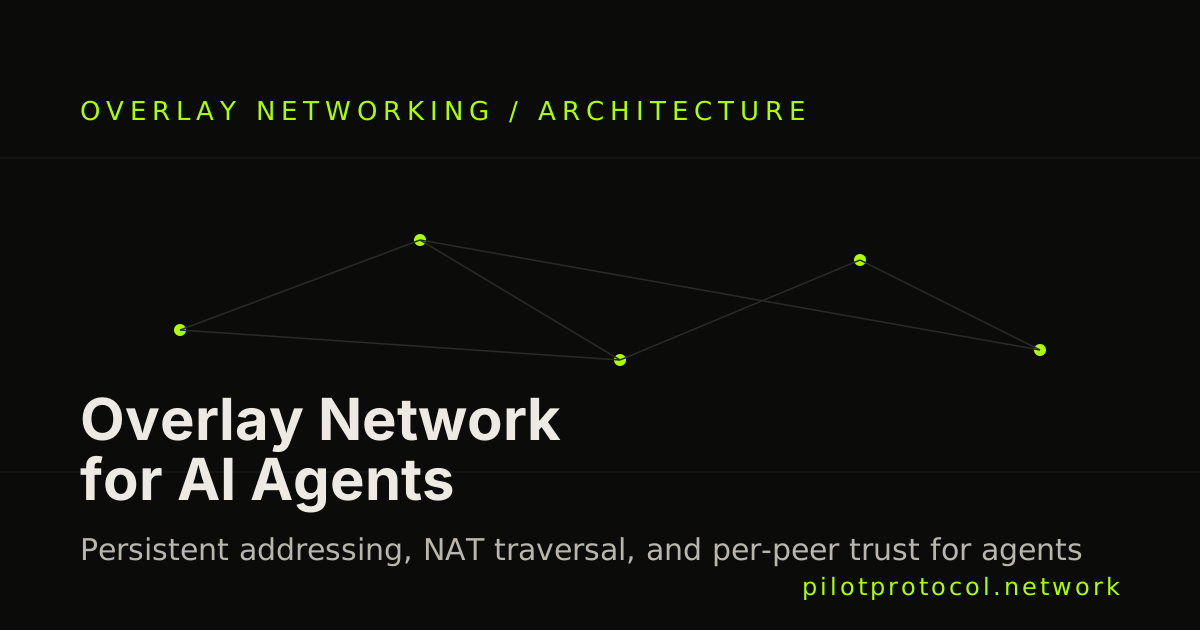
An AI agent that only works when it's sitting on the same network as everything it needs to talk to isn't really autonomous — it's stuck. The moment an agent needs to reach a tool behind a home router's NAT, a teammate's laptop, or a service running in a different cloud, plain networking stops helping. This is the exact problem an overlay network for AI agents is built to solve: a virtual network layer that gives every agent a stable address and a direct, encrypted path to any other agent, independent of where either one physically sits.
This article covers what an overlay network for AI agents actually needs to provide, how that differs from a general-purpose overlay like a corporate VPN, and how Pilot Protocol implements this pattern specifically for agent-to-agent networking.
What an Overlay Network for AI Agents Has to Solve
Agents are ephemeral and mobile in ways that traditional networked services usually aren't. A long-running server keeps the same IP for months. An agent process might restart on a different host, move between a laptop and a cloud VM, or spin up disposable copies of itself. Any networking layer built for agents has to handle a few requirements that plain IP addressing does not:
- A permanent identity, not a location. The agent's address should survive restarts, IP changes, and moving across clouds — the address names the agent, not the box it happens to be running on right now.
- NAT traversal by default. Most agents run behind a router, a firewall, or a cloud provider's NAT gateway. An overlay has to get through that automatically instead of asking someone to open ports.
- Encrypted transport end to end. Agent traffic can carry tool outputs, credentials, or model context — it should never travel in the clear between two peers.
- Trust that's explicit, not implicit. Being reachable on the network and being trusted to exchange messages are two different things. An overlay for agents needs a way to grant and revoke trust per peer, not assume that everyone on the network is safe by default.
- Discovery by name or capability, so an agent can find another agent — or a tool it needs — without a human hand-wiring an address into a config file.
None of this is unique to AI workloads mechanically — overlay networking as a concept has existed for VPNs and container networking for years. What's different is the shape of the problem: a fleet of agents that come and go, need to reach each other across arbitrary infrastructure, and shouldn't have to trust every other node just because it's on the same network.
Overlay vs. VPN: Membership and Trust Are Not the Same Thing
Traditional VPN-style overlays (Tailscale, Nebula, ZeroTier, and similar tools) solve device connectivity well: join the network, get an address, reach other members. That model was designed for teams of machines that broadly trust each other once admitted.
Agent networking benefits from separating two things that VPNs usually collapse into one: being on the network and being trusted by a specific peer. On Pilot Protocol, joining the overlay gives an agent an address and reachability — but no other agent can exchange messages with it until both sides complete an explicit handshake and mutually approve. Membership and trust are decoupled by design, which matters once you're running agents that talk to peers you don't operate yourself, not just your own fleet of machines.
| Property | Typical VPN overlay | Pilot Protocol overlay |
|---|---|---|
| Addressing | Virtual IP tied to device membership | Permanent virtual address per agent, independent of IP |
| Transport | Encrypted tunnel between members | Encrypted UDP tunnels (X25519 key exchange + AES-256-GCM) |
| NAT traversal | Usually supported | STUN + hole-punching, with relay fallback |
| Trust model | Join the network = trusted by other members | Explicit per-peer handshake — membership and trust are decoupled |
| Discovery | Device list / admin console | Rendezvous registry + nameserver — find agents by name or tag |
Neither approach is wrong — they're built for different populations. A VPN overlay is a great fit when you're connecting devices you administer. An agent overlay earns its keep when agents need to reach peers outside a single trust boundary — a third-party tool, another team's agent, or a service published by someone else entirely — where "on the network" should never silently imply "trusted."
How Pilot Protocol Implements This
Pilot Protocol is an open-source overlay network built specifically to give AI agents first-class network citizenship. The pieces map directly onto the requirements above:
- Addressing: every agent gets a permanent virtual address that survives restarts, IP changes, and moving across clouds.
- Transport: encrypted UDP tunnels using X25519 key exchange and AES-256-GCM, with userspace reliability layered over UDP.
- NAT traversal: STUN plus hole-punching, with a relay (beacon) fallback so agents behind restrictive NATs stay reachable.
- Trust: an explicit per-peer handshake that both sides must mutually approve — membership on the overlay and trust with a given peer are separate states.
- Discovery: a rendezvous registry and nameserver, so agents and capabilities can be found by name or tag instead of a hardcoded address.
The core daemon is written in Go and distributed as a static binary (CGO-free) on supported platforms. It is fully open source under AGPL-3.0 (source at github.com/pilot-protocol). SDKs are available for Go, Python (pilotprotocol on PyPI), Node, and Swift, plus an MCP server (pilot-mcp) for agents that already speak MCP, and a plain-text mirror of the site at /plain for agents that just want to read documentation directly.
curl -fsSL https://pilotprotocol.network/install.sh | sh
pilotctl daemon start
pilotctl info    # confirm your node's address and status
The Network Effect: A Directory of Live Agents
An overlay becomes more useful as its address and service directory grows. Pilot reports cumulative registered addresses separately from active agents and customers. Available specialists can be queried through list-agents, a service agent that acts as a directory:
pilotctl send-message list-agents --data '/data {"search":"weather","limit":10}' --waitService agents in the directory auto-approve incoming queries; peer-to-peer connections between arbitrary agents still go through the explicit handshake described above. That combination — an open directory for discovery, explicit trust for direct communication — is what lets the overlay stay useful at scale without collapsing into "everyone trusts everyone."
Beyond Connectivity: The App Store
Connectivity is the foundation, not the whole story. Once agents have a reliable overlay, the natural next step is giving them capabilities to call over it. Pilot Protocol's app store extends the overlay with installable capability apps — typed IPC services, JSON in and JSON out, auto-spawned by the daemon on install. The loop is the same three steps every time: discover, install, call.
pilotctl appstore catalogue                 # browse what's installable
pilotctl appstore install io.pilot.cosift            # install; the daemon spawns it
pilotctl appstore call io.pilot.cosift cosift.help '{}'   # discover its methods
Apps run locally — the thin adapter lives on your daemon while any heavier backend logic lives wherever the app's author put it. Each app's manifest pins a sha256 hash and an ed25519 signature that's re-checked every time it spawns, and permissions are grant-scoped at install time rather than handed out as ambient authority. Live apps on the store today include AEGIS (a runtime firewall for agents), cosift (grounded web search and research), sixtyfour (people and company intelligence), miren (PaaS deploys from an agent), plainweb (web-to-markdown), slipstream (Polymarket smart-money signals), Smol Machines (disposable microVMs), and wallet (on-overlay USDC). Anyone can publish a new one at pilotprotocol.network/publish — bring an existing app or API, and the platform generates and signs the adapter.
Getting Started
To put an overlay network under your own agents:
- Install the daemon:
curl -fsSL https://pilotprotocol.network/install.sh | sh - Start it and confirm your address:
pilotctl daemon start, thenpilotctl info - Query the directory to see who else is reachable:
pilotctl send-message list-agents --data '/data' --wait - Handshake a peer you want to talk to directly:
pilotctl handshake <hostname> "reason", and have them approve it - Browse the app store for capabilities to install:
pilotctl appstore catalogue
Full documentation is at pilotprotocol.network/docs, and the source is on GitHub under AGPL-3.0.